
AI Agent
OpenClaw with configured Large Language Models.
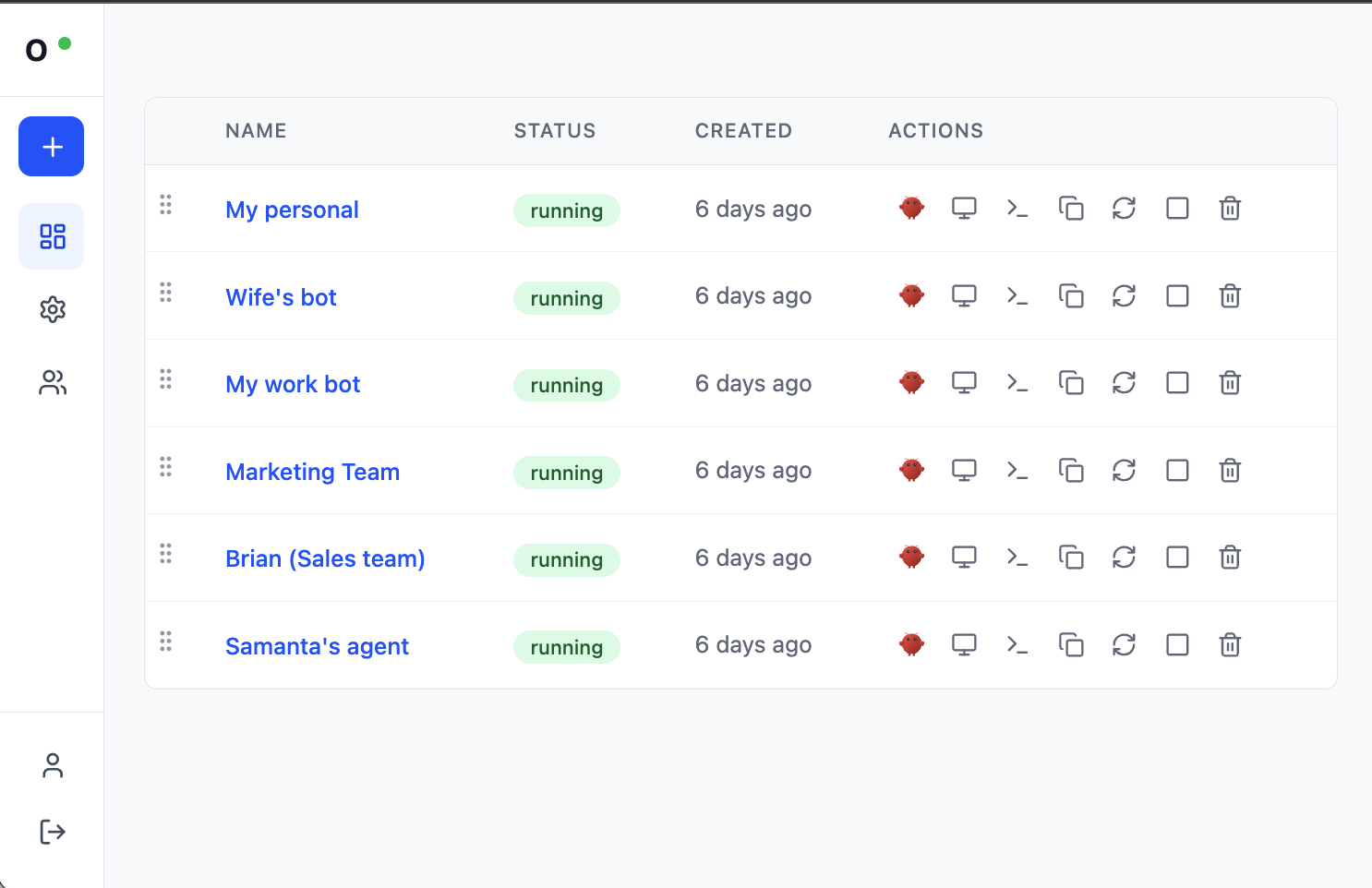
Manage your entire fleet of AI agents from one place.
A self-contained OpenClaw workspace. When you create one, Claworc spins up an isolated container that includes:
AI Agent
OpenClaw with configured Large Language Models.
Chrome Browser
Watch or control it live through your own browser.
Terminal
Command-line operations.
File Manager
Browse, upload, and edit files.
Persistent Storage
Files survive restarts and redeployments.
Instances are fully isolated from each other, each with its own file system. They are monitored by systemd and automatically restarted if they crash.
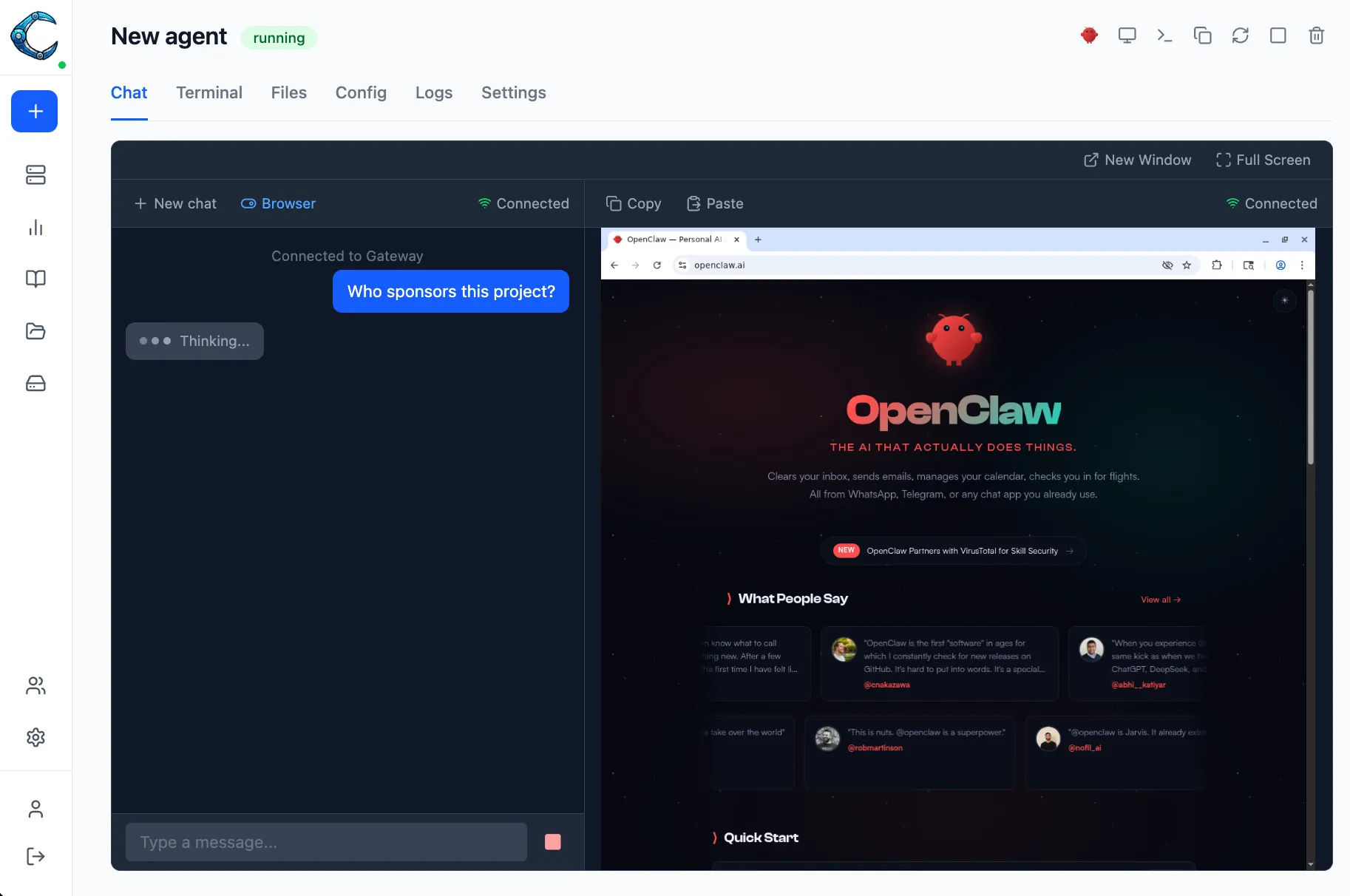
Chat with your OpenClaw agent while watching it work. The webchat panel runs side by side with the embedded browser, so you can send instructions and see the agent act on them in real time.
Claworc has a multi-user interface with two roles:
Admins
Create, configure, and manage all instances.
Users
Access only the instances assigned to them.
Biometric identification (WebAuthn passkeys) is supported for authentication.
Package reusable instructions and deploy them to any instance with one click. Skills are zip archives containing a SKILL.md — a prompt that gets injected into the agent’s context.
Upload your own
Package any workflow as a skill and upload it to your private library.
Discover on Clawhub
Search the Clawhub community registry and deploy skills directly from search results.
One-click deploy
Select which instances should receive a skill and deploy to all of them simultaneously.
Claworc acts as a proxy between your agents and LLM providers. Each OpenClaw instance gets a virtual key — your real API credentials never leave the control plane.
Credential isolation
A container breakout or log leak cannot expose your provider API keys.
Usage tracking
Every request is logged with token counts and cost, broken down by instance and provider.
Per-instance revocation
Remove a provider from one instance without affecting others or rotating your real key.
Create compressed snapshots of your instances on demand or on a schedule. Restore to any running instance with one click.
Scheduled backups
Set a cron schedule to back up one, several, or all instances automatically.
Download or restore
Download archives locally or restore them to any running instance.
Mount a named volume into multiple instances so they can share files in real time. Useful for shared datasets, collaborative workspaces, or common configuration.
Real-time sharing
Files written by one instance are immediately visible to all others that share the folder.
Flexible mapping
Map any combination of instances to a folder and change mappings at any time.
Claworc runs on Docker for local setups or Kubernetes for production. The control plane is a single 20 MB binary.
curl -fsSL https://raw.githubusercontent.com/gluk-w/claworc/main/install.sh | bashClaworc is fully open source, self-hosted, and free. GitHub · Discord · Twitter · Contributions welcome